Tenant Portal
A simple, modern interface for tenants to:
- Update details and check invoices
- Raise service requests
- Make account enquiries

We're introducing a new SML Tenant Hub to make it easier to do business with Sydney Markets. Designed around everyday tenant needs, it brings important information and services together in one convenient place.
From viewing invoices and managing property information to lodging service requests, you'll be able to access key information and services through one connected online platform.
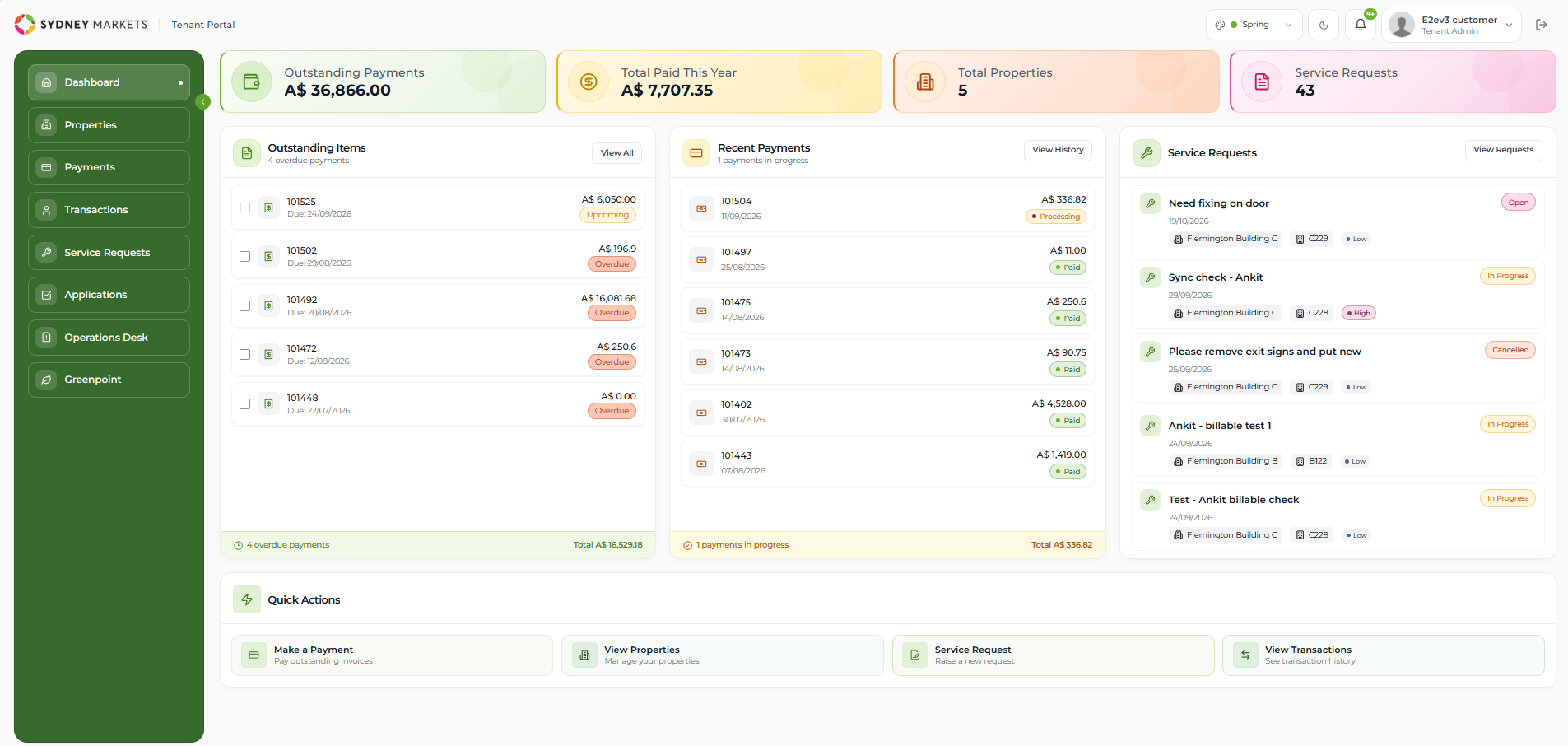
Here's how we're rolling it out.
Tenants are expected to receive their SML Tenant Hub login instructions by email before launch.
The planned launch date for the new SML Tenant Hub.
Register to receive email updates about the SML Tenant Hub launch and introduction.
Registration is optional and is for email updates only. Your Tenant Hub access is arranged separately.
Register for updatesWe're building a more connected future for Sydney Markets, bringing tenants, contractors and our staff together through a modern digital platform.
A simple, modern interface for tenants to:
A dedicated space for contractors to:
Tools for SML staff to:
As Sydney Markets continues to evolve, we're investing in better-connected services and modern technology to make it easier for tenants to manage everyday matters.
The goal is simple: better access to information, more streamlined processes and greater visibility of the services you use.
Find important information directly through the hub.
View and download invoices whenever you need them.
See how your service requests are progressing.
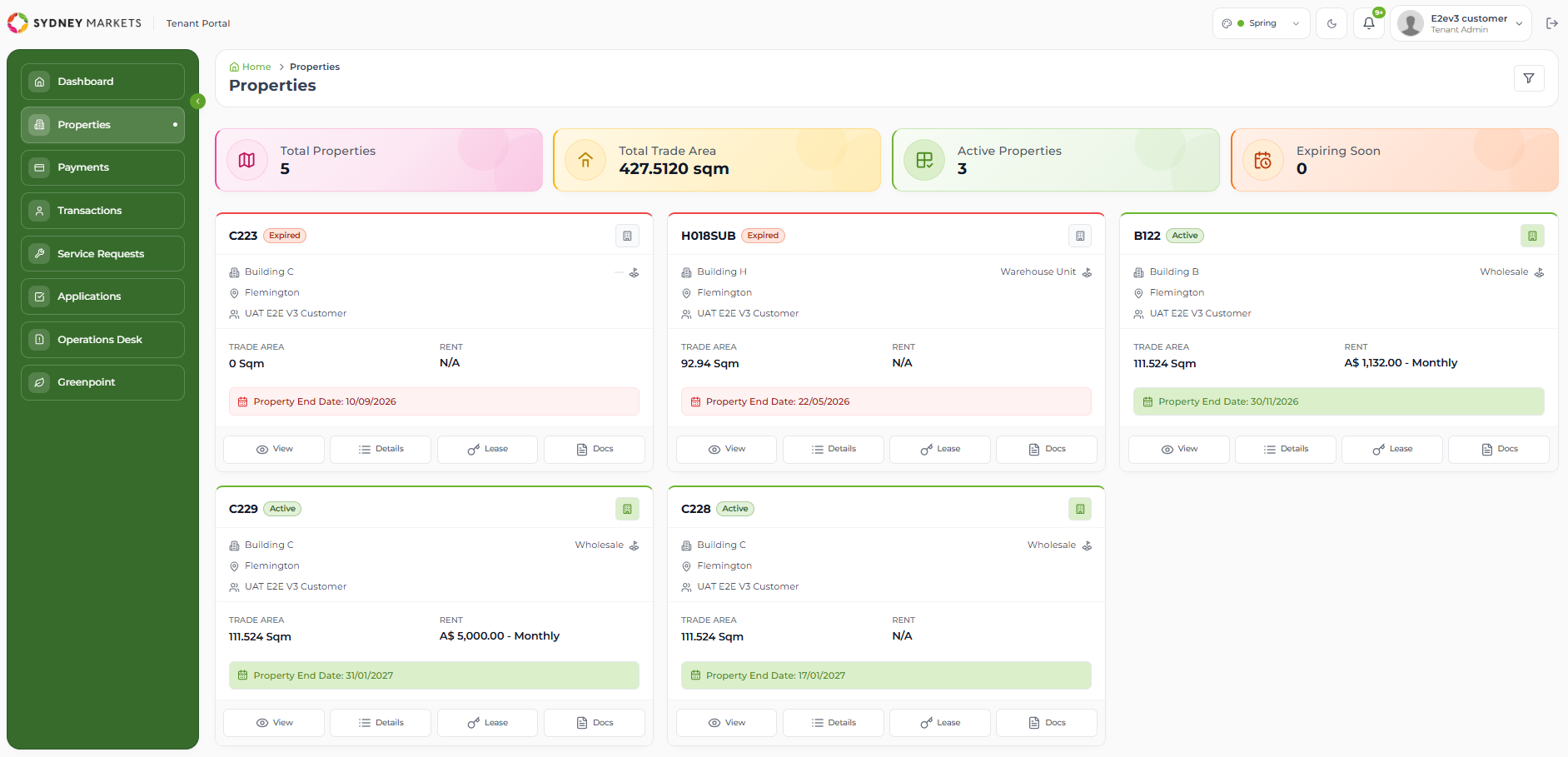
Access important information about your Sydney Markets premises without having to search through paperwork or make separate enquiries.
The SML Tenant Hub brings your property information together in one convenient location.
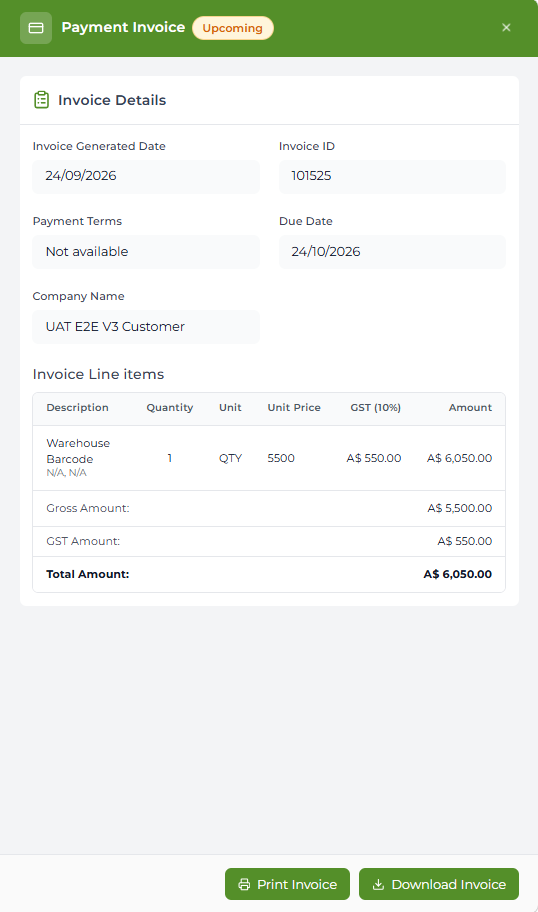
Get convenient access to the financial information you need to manage your Sydney Markets account.
View invoice details, review transactions and download copies of invoices directly from the SML Tenant Hub.
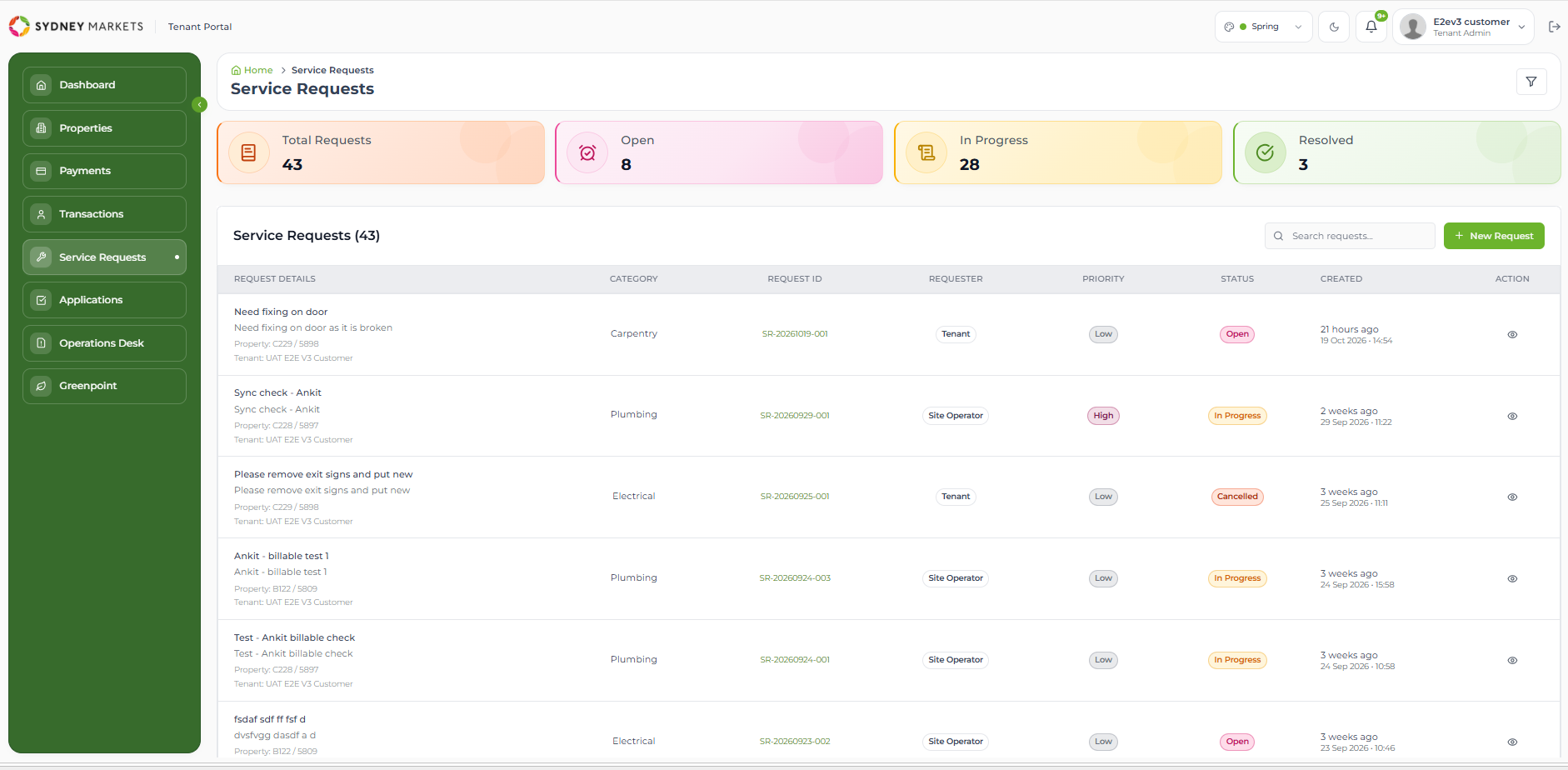
Managing service and maintenance matters will be more convenient through the new SML Tenant Hub.
Submit requests online, view their progress and keep a record of previous requests, all from one place.
Find answers to frequently asked questions about getting started and making the most of your new SML Tenant Hub.
The SML Tenant Hub is your self-service account for managing your lease, tracking invoices and payments, raising maintenance requests and reviewing compliance notices for the properties you occupy — all in one place.
You'll receive a welcome email with a link to set your password when your account is created. If you've forgotten your password, use the "Forgot password" link on the sign-in page. If you no longer have access to the email address on file, contact your property manager to update your contact details.
Yes. If your account is linked to more than one space or a parent/child tenant hierarchy, you can switch between properties within the SML Tenant Hub. Your dashboard, invoices and service requests will reflect the property you have selected.
Your dashboard provides a summary of your recent activity, including open and recently updated compliance notices, active and recent maintenance (service) requests, and key account information for your property or properties.
Your lease terms, start and end dates, and property details are shown under your tenancy profile. These are kept in sync with our back-office system, so they reflect your latest signed lease.
Yes. Documents attached to your tenancy, such as lease documents, are available for download from your property/documents section.
All invoices raised against your account, including partial invoices, are listed under Invoices, along with their current status, such as outstanding or paid.
You can pay outstanding invoices online by card through the secure payment screen. Once a payment is processed, a receipt is generated automatically and linked to the invoice.
Card payments are verified automatically. If a payment attempt expires or fails, the invoice will return to its outstanding state so you can retry. If it remains in a pending state for an extended period, please contact support with your invoice reference number.
Receipts for completed payments are available under Receipts and can be printed or downloaded alongside the related invoice.
A compliance notice is issued to your account for a breach of your lease or site rules, such as a cleaning or compliance breach. It may include an associated invoice if a fee applies.
Open the notice to view its details and status. If an invoice is linked to the notice, you can view and pay it in the same way as any other invoice.
Raise a new Service Request from the SML Tenant Hub, describe the issue, choose a category and priority, and attach photos if required. You'll be able to track its status, including submitted, in progress and resolved, from your request list.
Yes. You can add comments to an open request to provide more information and cancel a request you no longer need actioned, provided it hasn't already been completed.
You'll receive a notification when your request is accepted, updated or resolved. You can also check its live status and activity history at any time from the request details page.
For properties participating in a waste management program, GreenPoint tracks your waste quota usage and related invoicing. You can check your remaining quota and waste-related invoices from the GreenPoint section of the SML Tenant Hub.
Primary contact and profile details are generally managed in coordination with your property manager, as they're kept in sync with our back-office records. Contact support if any of your details appear to be out of date.
Use the Contact Us option in the SML Tenant Hub utility bar or contact your property manager directly for anything not resolved through the Hub.
For assistance getting started or accessing the SML Tenant Hub, email it@sydneymarkets.com.
Our team is here to help with questions about the new SML Tenant Hub and getting started.
The new SML Tenant Hub launches on 30 November 2026. Register your interest to receive updates about the launch and introduction of the new platform.